Class
ClassI Get You
Play I Get You free in your browser — no download, no sign-up. Works on Chromebooks, laptops and phones.
About I Get You
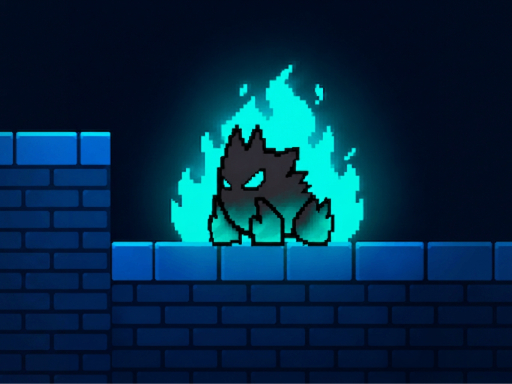
I Get You is a troll platformer where the level itself is your opponent. It has eyes, it talks, and every trap is something its body does: the floor yawns under your feet, the ground gets goosebumps, it sneezes you off a ledge, and doors turn into teeth. Every death teaches you its next trick. Beat a level and it gets deleted forever. 40 levels across two corridors, and the deleted ones come back. They’re mad. Play I Get You free on ClassPlay — a agility game that runs right in your browser with no downloads or sign-ups, on Chromebooks, laptops and phones.
Tags: 1 Player · Arcade · Casual · Funny · Jumping · Mobile · Platform · Skill
How to Play I Get You
Move Arrow keys or A D Jump Space W Up arrow or Z hold for a higher jump Pause Esc or P middot Restart R middot Mute M middot Fullscreen F Mobile on-screen buttons
Tip: click the Fullscreen button for the biggest play area, especially on a Chromebook. If the game seems stuck loading, wait a few seconds and refresh once — browser games stream their assets on first load.
I Get You FAQ
Is I Get You free to play?
Yes — I Get You is free on ClassPlay, like every game here. It opens in a regular browser tab with no downloads, no installs and no account, so it is ready the moment the page loads.
Can I play I Get You on a school Chromebook?
Yes. ClassPlay games are picked to run well on school Chromebooks: they load in Chrome, ask for very little from the hardware, and use simple keyboard, mouse or touch controls. Nothing needs to be installed first.
Is I Get You appropriate for the classroom?
ClassPlay only lists games we would be comfortable seeing on a classroom screen — no shooters, no horror, no zombie titles. Every game page shows its category, a plain-language description and the controls, so a teacher or parent can see exactly what it is before anyone presses play.
Does I Get You work on phones and tablets?
Yes. I Get You supports touch controls, so it works on phones and tablets as well as computers. For the biggest screen, use the fullscreen button above the game.